You do not need all inputs on day one. Most desks connect email and upload LinkedIn. The rest of the CRM (jobs, candidates, invoices) is there when a live search needs it.
The short version
- Export your LinkedIn connections and upload the file
- Connect Google or Microsoft mail
- Annie builds contacts with connected-on and last-emailed dates
- You get a ranked list of people you already know but have not worked with or reached out to
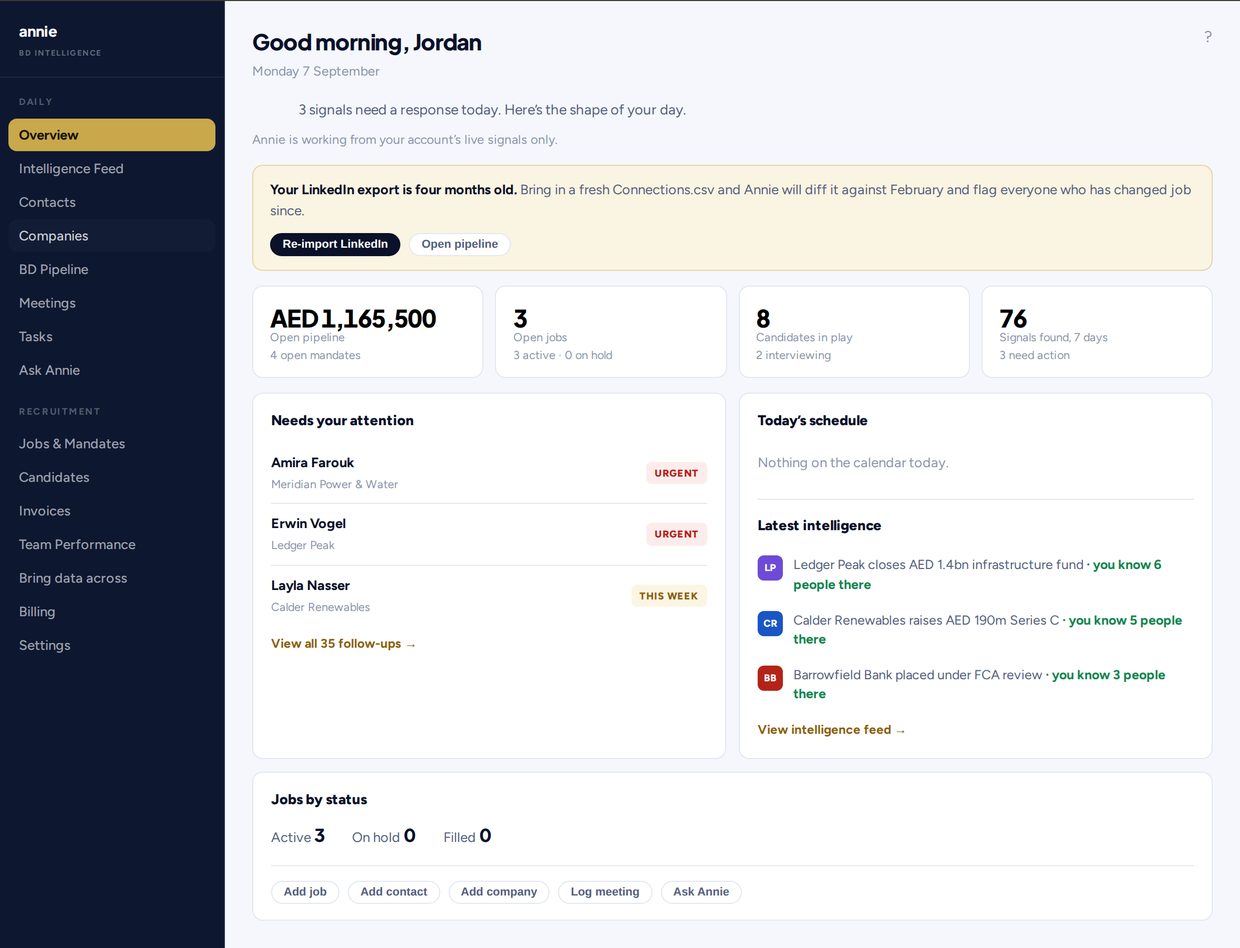
- Re-import LinkedIn every six months; Annie diffs against the last file and flags who moved, and reminds you when it is due
Step 1: LinkedIn Connections.csv
From LinkedIn, request your data export and take the Connections file (CSV), or drop the archive zip unopened. Annie also accepts ordinary contact spreadsheets (CSV, XLSX, XLS, ODS).
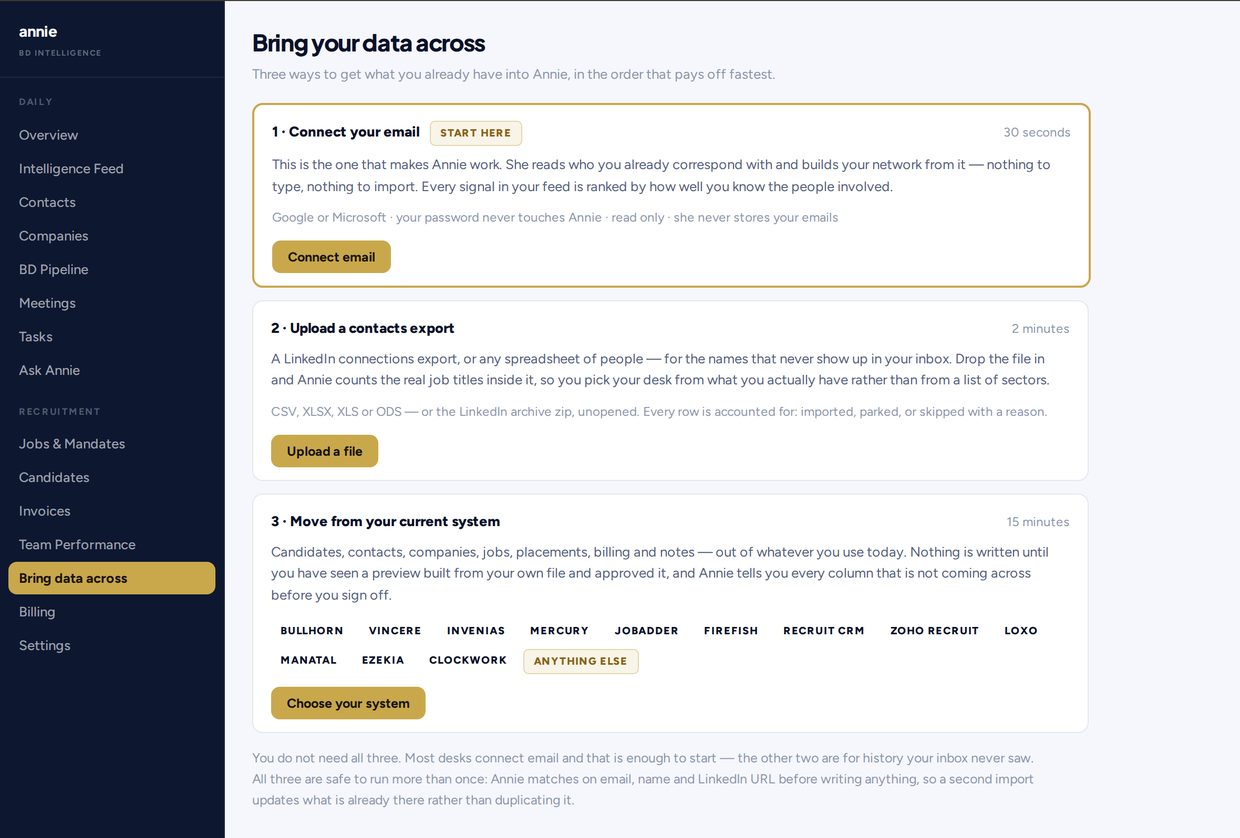
What happens on import:
- Every connection can become a contact
- Seniority and function help sort who sits near the top of a recruiter’s list
- The date you connected stays on the record
- Every row is accounted for: imported, merged, or skipped with a reason
Re-import every six months. Annie ranks against your last export, not the whole history of connections you have made since, so a file that ages is a list that goes stale. Annie compares the fresh export to the last one and shows who changed role in your network, and reminds you on the dashboard when six months have passed.
Step 2: Connect your mailbox
Connect Google or Microsoft. Your password never touches Annie. Annie never sends by itself. Revoke access any time from your own mail settings.
What Annie uses from mail for this job:
- Who you already correspond with
- Last emailed dates
- Messages you sent that got no reply
- Replies you got and never went back to
- Dated notes on the contact from exchanges, so the record does not depend on you logging every call
Annie never sends mail by itself. She ranks and reminds, and drafts if you ask; a message only goes from your mailbox, from your address, on your click.
Step 3: The ranked call list
Everyone on the list is already in your contacts. Annie helps you see how you are connected and whether you have actually spoken or only ever connected, so you work the list in the right order.
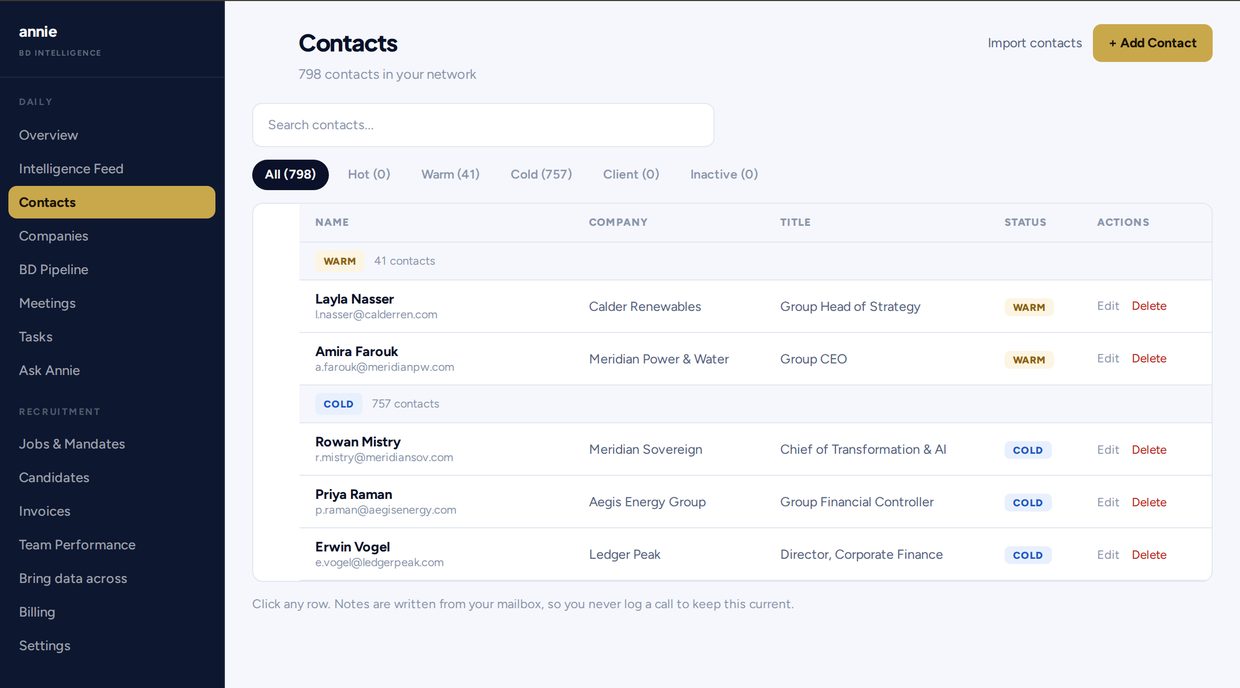
You will see warm and cold style buckets in the product, and company views that group the people you know at one firm. The point is simple: call the people you already know, in a sensible order, instead of staring at a flat export.
Step 4: Same morning CRM
Once the network is in, the rest of the desk is familiar: open jobs and mandates, candidates, pipeline, meetings, tasks, invoices. Fields from an old system can come across with a preview before anything is written. Supported migration paths and “anything else” imports are covered in the product; you approve the preview first.
What Annie will never do
- Send anything by itself — a drafted message only goes on your click, from your mailbox and your address
- Share a named contact of yours with another customer
- Pretend strangers belong on your call list
Your data leaves when you want it to: one click in Settings downloads every record Annie holds for you, contacts and companies through to candidates, notes, meetings and invoices, as a file you keep. Documents you uploaded (CVs, right-to-work scans, company files) are listed in that file rather than bundled into it — download those from the record itself, or ask and we will send them.
Optional: morning email
When there is something worth a call, Annie can email you a short list. On a quiet day she sends nothing rather than an empty check-in. One click turns that email off.
See it on example data
Click through a running copy with sample contacts and jobs: meetannie.ai/demo.html. Then start a trial on meetannie.ai with your own export and mailbox.
Questions
Annie is the CRM for solo and independent recruiters that turns your LinkedIn export and mailbox into a ranked list of people you already know but have not worked with or reached out to.
Export your LinkedIn data and upload Connections.csv, or drop the archive zip unopened. Annie also accepts ordinary contact spreadsheets (CSV, XLSX, XLS, ODS). Every row is imported, merged, or skipped with a reason. Re-import every six months to diff against the last file; Annie reminds you when it is due.
No. Annie never sends mail by itself. She ranks and reminds, and drafts if you ask. A drafted message only goes from your own mailbox, from your address, on your click.
Yes, for one job. When new mail arrives, Annie reads that message to write a one-line dated note on the contact, and sends it to Anthropic to do so. The message body is never stored: Annie keeps the note, the subject, who it was with, and when. Ranking works from who and when only. Access is otherwise read only. Revoke anytime from your own mail settings.
You get the most from both. Mailbox alone starts a network from people you already write to. LinkedIn adds names that never show up in sent mail. Most desks do email first, then the export. You do not need every CRM object on day one.
No. Everyone on the list is already in your contacts. Annie will never pad the list with strangers, and will never share a named contact of yours with another customer.
When there is something worth a call, Annie can email you a short list. On a quiet day she sends nothing rather than an empty check-in. One click turns that email off.
Sign up, connect mail, upload the export, and you can be working the same morning (live in under about 10 minutes for most desks). Seven-day trial, no card. If you do nothing, the trial stops. Solo is $129/mo or $1,290/year (two months free) after you pay; cancel anytime from billing, access until the period ends. No Team plan. Confirm on Pricing. Demo first: meetannie.ai/demo.html.