This page is export prep only
Annie is the CRM for solo and independent recruiters that turns your LinkedIn export and mailbox into a ranked list of people you already know but have not worked with or reached out to.
This page is how to prepare the LinkedIn file Annie accepts: Connections.csv or the archive zip, what gets imported or skipped, and why you re-import every six months. Turning that file into the morning call list is a separate how-to: How to turn a LinkedIn export into a call list. Product walkthrough: How it works.
What you download
Request a copy of your LinkedIn data. LinkedIn emails you when the download is ready. You get a CSV, or a zip with the CSV inside. The Connections file is a flat list of people you already connected with: name, company, title, and the date you connected. Sometimes an email, if they shared one.
Annie does not log into LinkedIn for you. You download the file LinkedIn already lets you take. This page does not publish a Settings click path. If the export is thin, the list will be short. That is honest.
- Connections.csv, or the archive zip with that file inside
- A list that is yours, not a scraped stranger list
- The connected-on date, which stays on the record after import
What Annie accepts
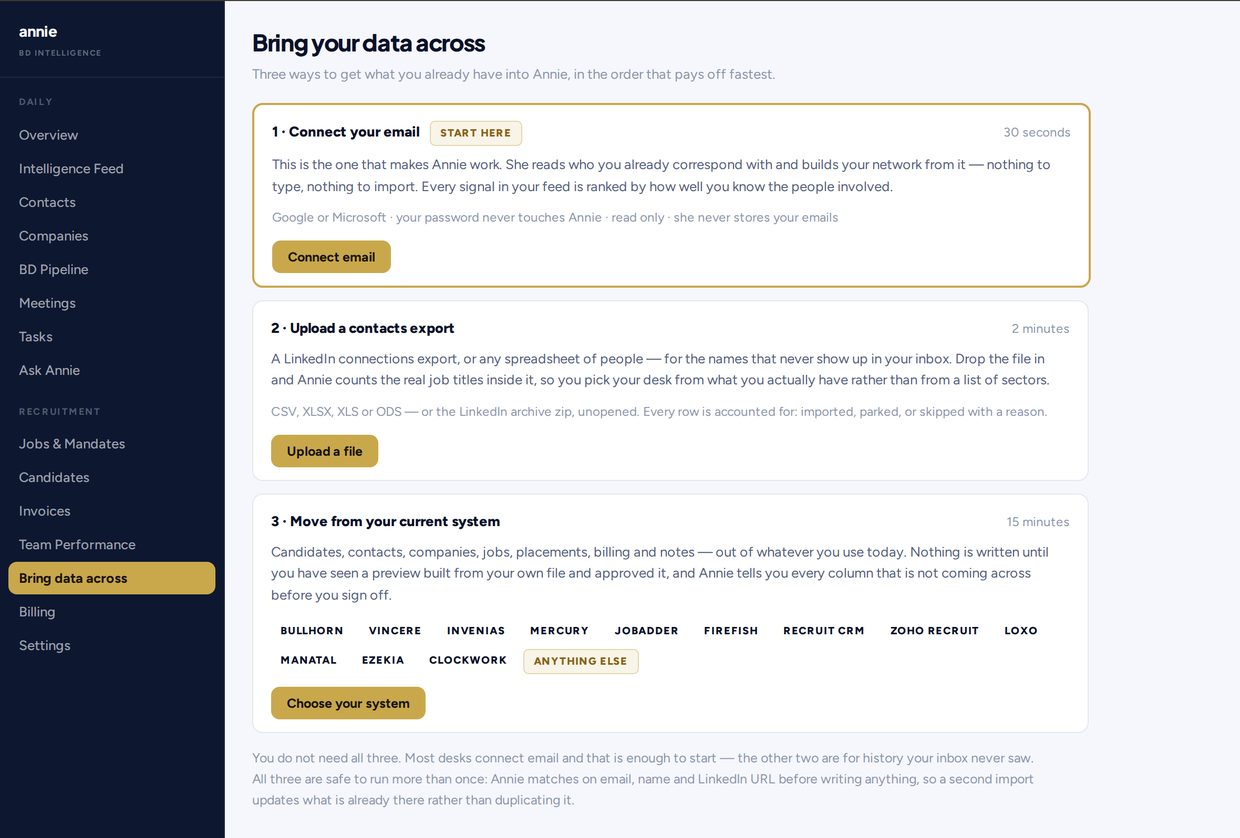
- Upload Connections.csv, or drop the archive zip unopened
- Or upload an ordinary contact spreadsheet: CSV, XLSX, XLS, or ODS
- Leave the zip closed if that is what LinkedIn gave you
You do not need to unzip first. If LinkedIn already gave you Connections.csv on its own, upload that file.
Imported, merged, or skipped
Every row is imported, merged, or skipped with a reason you can read. Annie does not silently drop names.
- Every connection can become a contact
- The date you connected stays on the record
- Every row is accounted for: imported, merged, or skipped with a reason
Re-import every six months
Re-import every six months. Annie ranks against your last export, not the whole history of connections you have made since, so a file that ages is a list that goes stale. Annie compares the fresh export to the last one and shows who changed role in your network, and reminds you on the dashboard when six months have passed.
Prepare the same kind of file again: Connections.csv, or the archive zip unopened. The product walkthrough of that reminder sits on How it works.
What preparing the file does not do
- Annie never sends mail by itself. Preparing the export does not email your connections
- She ranks and reminds, and drafts if you ask. A message only goes from your mailbox, from your address, on your click
- She does not log into LinkedIn, and she does not invent strangers to pad a thin export
- There is no Team or agency plan. This file is for one desk
The desk this file is for: CRM for solo recruiters.
Pricing shape
One plan. One price. Nothing else to buy.
- Solo: $129/mo, or $1,290/year (two months free). Billed in USD.
- No setup fee. No minimum term. No Team or agency plan.
- Seven-day trial, no card. If you do nothing at the end of the week, the trial stops.
- After you pay: cancel any time from billing; you keep access until the period ends.
Confirm live terms on Pricing.
Questions
Export your LinkedIn data and upload Connections.csv, or drop the archive zip unopened. Annie also accepts ordinary contact spreadsheets (CSV, XLSX, XLS, ODS). Annie does not log into LinkedIn for you.
No. You request a copy of your data. LinkedIn emails you when the download is ready. You get a CSV, or a zip with the CSV inside. This page does not publish a LinkedIn Settings click path.
Every row is imported, merged, or skipped with a reason you can read. Annie does not silently drop names.
No. You can drop the archive zip unopened. If LinkedIn already gave you Connections.csv on its own, upload that file.
Re-import every six months. Annie compares the fresh export to the last one, shows who changed role in your network, and reminds you on the dashboard when six months have passed.
No. Annie never sends mail by itself. She ranks and reminds, and drafts if you ask. A message only goes from your mailbox, from your address, on your click.
Solo is $129/mo or $1,290/year (two months free), in USD. Seven-day trial, no card. After you pay, cancel anytime from billing; access until the period ends. There is no Team or agency plan. Confirm on Pricing.